Bajaj Finserv EMI Bounce Message: Meaning and Next Steps
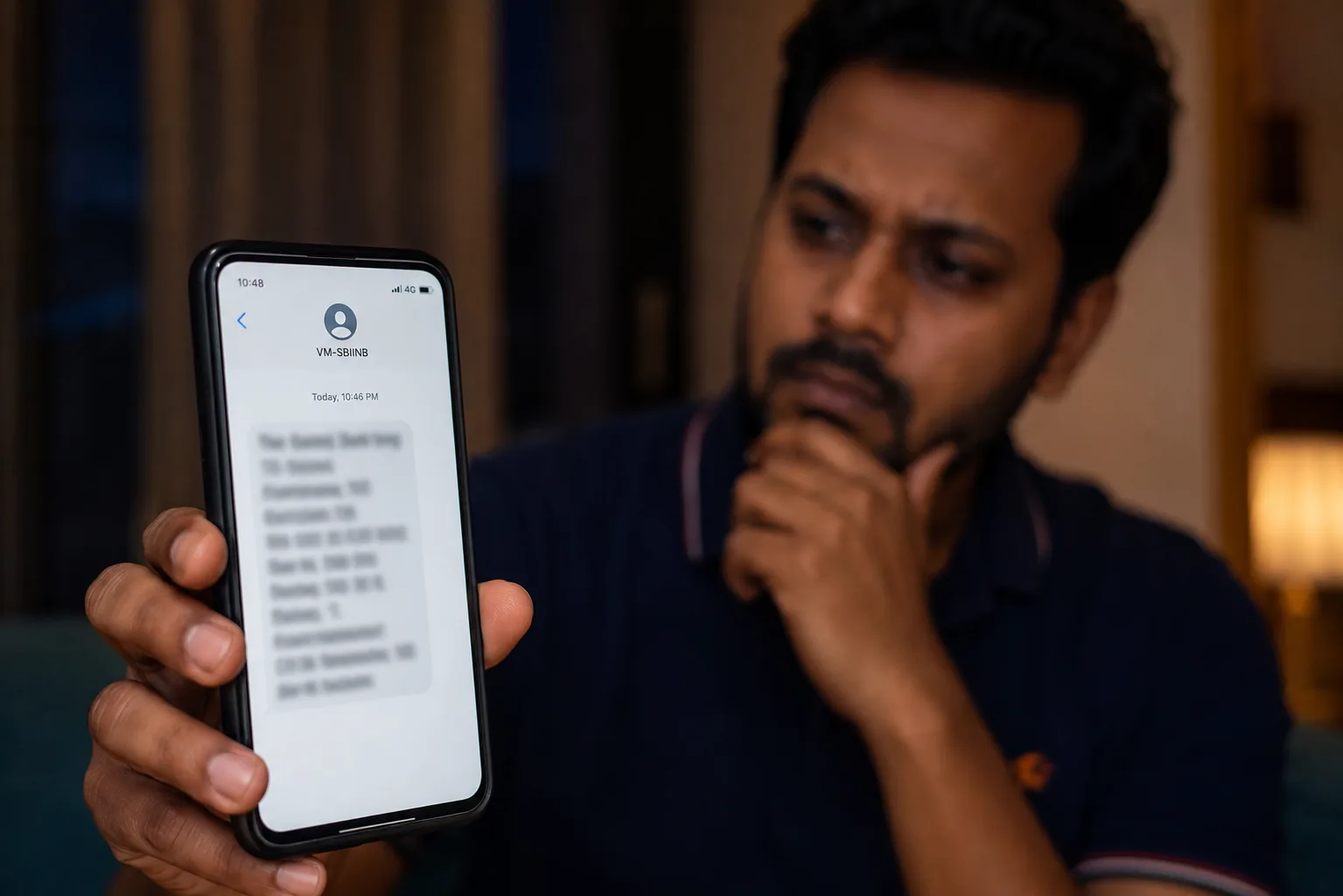
A Bajaj EMI bounce message is the alert you get when the auto-debit for your Bajaj Finance loan EMI fails. Read the reason first, then pay through the Bajaj app or My Account, not an unknown link. One bounce is a failed debit, not a default.
Mohit Juneja
Reviewed by FREED India, Debt Resolution Specialists
 4.7/5
 ₹3,200Cr+
 20,000+
 20,00,000+4.7/5₹3,200Cr+20,000+20,00,000+
Key Summary

A Bajaj EMI bounce message means one debit failed. It does not mean you have defaulted.
Bajaj Finserv is the group name. Check the company name in the message and in your loan papers.
RBI says NBFC reminders must state the applicable penal charge, with a reason for each levy.
Pay only through the official Bajaj app or My Account, and never share an OTP for an SMS.
Complaints go from customer service to the Grievance Redressal Officer, the Principal Nodal Officer, then the RBI Ombudsman.
What Does a Bajaj EMI Bounce Message Mean?
A Bajaj EMI bounce message means Bajaj tried to take your EMI from the linked account and the debit did not go through. The instalment is still unpaid. Nothing more serious has happened yet.
First, the name. Bajaj Finserv is the group brand, and Bajaj’s own loan pages refer to the company as Bajaj Finance. So check the company name on the SMS and on your loan papers, and you will know exactly whose dues you are looking at.
Second, the form. Bajaj dues come in several shapes: a personal loan, an EMI Card purchase, a consumer durable EMI, or a business loan. If you have more than one, the first job is to match the masked loan number in the message to the right one.
Third, the sender. The text may come from Bajaj about the loan, or from the bank that holds the account being debited. The two read differently, and the bank’s message can mention a return fee of its own.
Fourth, the timing. Compare the date in the message with your repayment schedule. An alert dated a day after the due date can mean the debit ran on the due date and the message reached you late, or that a second attempt was made. Either way, the question that matters is whether the EMI shows as paid in the app right now.
An EMI bounce means that an attempted auto-debit has failed. If the instalment remains unpaid after its due date, the account may become overdue, potentially attracting bounce charges, penal charges and negative credit reporting. Paying promptly can help limit these consequences, but it does not automatically reverse charges or erase a payment delay.
For what a bounce can cost in general, read what actually happens when your EMI bounces. For the layout banks usually follow, see the guide on EMI bounce message format. Next, here is what a Bajaj alert usually says.

Not Sure Which Loan Failed?
See every loan and any overdue mark on your credit report in one place.
Check My Credit InsightWhat Does a Bajaj EMI Bounce Message Usually Say?
No fixed Bajaj template was found, so the wording and order can change by loan type and channel. Most alerts of this kind are built from the same parts.
What the message can include
Sender name: Bajaj or the bank that tried the debit
Masked loan number: usually the last few digits
EMI amount: what was due
Debit or due date: when the debit was tried
Reason for failure: why it did not go through
Any charge: a penalty charge or return fee, if one applies
How to pay or get help: an app, a link or a helpline
How to read it: reason first, then amount, then charge.
Here is one short sample. Illustrative, not Bajaj’s actual message:
“Your EMI of Rs [Amount] due on [Date] for loan ending [XXXX] was not debited. Reason: [Reason]. Please pay through the official app.”
One more point. Bajaj’s help pages say that when your bank rejects a mandate, you may get an SMS with a link to register it again online. So a link in a message is not automatically fake. The fake-message section below shows how to check.
The alert may also show up as an app notification or an email. The content is usually similar, but wording can differ, so read each one for the reason line.
What the message usually does not tell you. It rarely shows your total outstanding, your remaining months, or whether the charge is final. For those, open the loan in the app and read the statement. If the reason line is vague, such as a short code, the bank statement entry for the returned debit often carries a clearer reason.
For the full anatomy and template variants, see the guide to EMI bounce message format.

FREED Expert Tip
Open the Bajaj app and match the amount in the SMS to your loan before you pay.
Check My EMI StatusWhy Did Your Bajaj EMI Bounce?
The reason line points to the cause, and the cause is usually plain. Bajaj’s own help page lists the common ones, and they match what happens across most NBFC loans.
The account balance was short when the debit ran
The bank account was closed, or is dormant, and the mandate was not updated
The signature on the mandate does not match the bank’s records
A stop-payment instruction was given on the account
The mandate was rejected or has expired
A technical fault, such as a network failure or a wrong account number
A signature mismatch means the signature on the mandate form does not match the one your bank has on file.
Reason Shown | What It Usually Means | What to Do |
|---|---|---|
Insufficient balance | The money was not there when the debit ran | Add the amount and pay through the official app |
Account closed or inactive | The account cannot take debits | Update the bank details, or give Bajaj a new account |
Signature mismatch on the mandate | The signature on the form differs from the bank’s record | Submit a fresh mandate with the signature the bank holds |
Stop-payment instruction | The debit was blocked at your end or the bank’s | Find out who stopped it, then lift it or pay manually |
Mandate rejected or expired | The auto-debit permission is no longer valid | Register the mandate again and pay this EMI manually |
Technical failure | A system problem, not necessarily your balance | Check your statement and pay manually if the EMI still shows due |
Wording varies by bank, so treat the middle column as a guide. Rates and ranges shown are indicative. Final terms decided by the bank. FREED is not a Loan Provider. No outcome is guaranteed. Please verify directly with your bank.
If the reason is unclear. Three places can tell you more. The first is your bank statement, where the returned debit usually appears with its own note. The second is the Bajaj app, where the loan page shows what is due. The third is a written request to Bajaj asking for the exact reason the debit failed. Keep the answer, since you may need it if a charge is questioned later.
A worked example. Your salary credits at 6 PM, but the debit ran that morning when the balance was short. The money arrived a few hours too late. The debit can run early on the due date, so a salary that lands later in the day can still bounce. Timing varies, so check your statement for the exact time.
To confirm what is still due, follow the steps on how to check your EMI status. If the loan has already moved past the due date, read what to do when your loan becomes overdue.
Check Your EMI Load Before the Next Due Date
See how much of your pay your EMIs already take.
Check My EMI ScoreHow to Fix a Bajaj EMI Bounce Step by Step
Acting the same day tends to keep the cost down. These steps are a general method you can follow on your own.
Read the reason line and match the loan number. It tells you which loan failed and what to fix.
Check your account balance and the debit entry. Confirm whether money left the account.
Pay the due EMI through the Bajaj app or My Account. Use UPI or net banking. Do not pay through a link you are unsure of.
Update the mandate if that was the cause. A new mandate can be submitted through My Account or at a branch. Check the exact menu path in your own account, since it can change.
Fix the cause. Refill the account, renew the mandate, or update the bank details. The EMI Score tool shows how much of your pay your EMIs take.
Tell Bajaj you have paid. Raise a service request so the account and any reminder calls reflect the payment. Payments through official channels usually show in the statement within a day or two, though this can vary.
Keep proof. Save the SMS, the payment receipt, and the statement entry.
If the payment does not show. Wait a day or two, since official payments usually reflect in that time. If it still does not, raise a service request with your receipt attached. The Pay Now option on the website or app, UPI, and net banking are the usual ways to pay, and My Account has guidance on clearing overdue EMIs.
If you cannot pay this month. Do not wait for the next debit to fail. Contact Bajaj before the next due date, explain the gap in plain words, and ask what options exist for your loan. A branch visit also works for fresh mandate forms. Keep a note of who you spoke to and when.
The Pay EMIs page on Bajaj’s website and the branch are the other official routes. To see how lateness is counted by credit bureaus, read days past due (DPD).
What Charges Apply When a Bajaj EMI Bounces?
No Bajaj figure is quoted here. Charges differ by product and can change, so the right numbers sit in your loan agreement, your Key Fact Statement, and the fee pages on Bajaj’s website. What can be explained is what RBI requires of NBFCs.
RBI circular RBI/2023-24/53 (18 August 2023) sets these rules for penal charges:
A charge, not extra interest. A penal charge (a fee for breaking a loan term) cannot be added to your interest rate, and no interest can be charged on it (para 3(i)).
Reasonable and fair. The amount must be reasonable and applied without discrimination (para 3(iv)).
Disclosed upfront. The amount and the reason must be in your loan agreement, in the Key Fact Statement (KFS, the one-page summary of loan costs) and on the company’s website (para 3(vi)).
Stated in reminders. A reminder must state the penalty charge, and the reason must be given each time one is levied (para 3(vii)).
These rules have applied since 1 January 2024. Credit cards are outside this circular and follow their own rules (para 5).
Your own bank may also levy a separate return charge under its tariff, so one bounce can lead to two charges from two places. Ask each which charge is theirs, and keep both statements.
On retries. Bajaj’s help pages say it may try the debit again, and that each failed retry can bring fresh charges. No retry timing is stated here, because it can differ. Paying manually through the official app is safer than waiting for a retry.
Questions to ask Bajaj in writing
What is the charge, and which clause of my agreement allows it?
Was a reminder sent that stated the charge, as RBI expects?
Is the retry charge separate from the first one?
Is the return fee on my bank statement from my bank or from Bajaj?
To read your KFS, see APR in a loan.

What the Law Says
NBFCs must state the applicable penal charge in reminders and give the reason each time one is levied.
Know the Charges on Your LoanHow to Tell a Real Bajaj EMI Bounce Message From a Fake One
Scam messages copy the look of loan alerts, because a failed EMI makes people react fast. A real alert asks you to pay your own loan through a channel you already use. A fake one wants something else: your OTP, your PIN, or a payment into an account you have never seen.
Warning signs
It asks for an OTP, UPI PIN, card details, or asks you to install a remote-access app
It threatens arrest or legal action within hours
The loan number, amount, or date does not match your loan
It pushes you to pay into a personal account or an unrelated number
The sender is unfamiliar
It adds pressure to act within minutes, such as “pay now, or the case goes to court today”
One balanced point. Real providers also send links, for example, to register a mandate again, so a link alone proves nothing. Open the Bajaj app or My Account yourself instead of tapping it.
The safe route is to check the dues in the official app, or use the contact details printed on your loan documents. If you are dealing with a loan you never took, read the fake loan app complaint guide and what to know about illegal app loans.
If you already clicked or shared something. Act within the same hour. Call your bank and ask it to block the card, UPI handle, or account access involved. Change your PIN and passwords. Then report the fraud on the national cybercrime helpline, 1930, or at cybercrime.gov.in. Keep screenshots of the message and the link.
How to Complain If Bajaj Charged You Wrongly
If a charge looks wrong, escalate in order. Bajaj’s grievance page lists the current contact details and links to the Ombudsman, so use it instead of searching for numbers. Re-check the steps there before you file.
Raise it with customer service. Note the reference number you are given.
If the answer does not meet your expectations, write to the Grievance Redressal Officer.
If it is still unresolved, go to the Principal Nodal Officer.
If the issue remains, or you get no response within 30 days of lodging it, approach the RBI Ombudsman. The scheme is set out in the RBI notification, and it covers NBFCs that meet its size and customer-interface conditions.
What to attach
A screenshot of the SMS
The statement entry
The payment receipt
The loan agreement page showing charges
What to write in the complaint
Your loan number and the date of the bounce
The charge you are questioning and why it looks wrong
What you want: a reversal, a breakdown or a correction
The earlier reference number, if you have one
Keep it to one page, in plain words. A short, dated complaint is easier to act on than a long one.
Bajaj’s page also lists topic-wise guides, including ones for ECS and for debt management, so you can match your issue to the right one. Keep copies of everything you send, and write down the date and reference number at each level.
If your worry is about calls from recovery agents rather than a charge, read the RBI recovery agent rules.
What If You Have Several Bajaj EMIs and Some Keep Bouncing?
Start with the trigger: more than one bounce in a few months, often across a loan and an EMI Card or consumer durable EMI that fall on different dates. That is usually a maths problem, not a discipline problem.
Take take-home pay of ₹45,000 and EMIs of ₹25,000 across three loans. That is about 56% of income (25,000 / 45,000 = 55.6%). Illustration only. The comfort line is 50% of take-home pay. Above it, one late salary can bounce a payment.
To find your own number, add up your take-home pay for the month, add every EMI you pay (loans, EMI Card, consumer durable EMIs), and divide the second figure by the first. If the answer is above 50%, the bounces are likely to repeat until something changes.
The lighter options come first, in this order.
Ask Bajaj to move the EMI date to just after salary day. Bajaj’s help page says you can request a date change through My Account, usually while your repayments are current. It may carry a fee, so ask first.
Ask about repayment help. Bajaj restructuring explains what to know before you ask.
If you are still paying but spread across several loans, debt consolidation means one new loan pays off the others. Read what debt consolidation is. Consolidation by itself does not drop your CIBIL score.
To see other ways to lower the monthly amount, read how to reduce your personal loan EMI legally.
Whichever you try, start the conversation before the next due date, not after the next bounce. Companies tend to be more flexible with someone who calls early and explains the cash-flow gap than with someone who goes quiet.
Consolidation is for people who are still repaying. If you have already missed many EMIs, talk to a counsellor first.
Too Many EMIs on Different Dates?
See whether one consolidated EMI could fit your situation.
Start My Debt AssessmentHow FREED Helps If Bajaj EMI Bounces Become a Pattern
When bounces keep arriving, reminders are not the answer. Fewer payments are.
The FREED Loan Consolidation Plan, also called the Debt Consolidation Program or “Reduce My EMI”, is for people who can still repay but need a smarter way to manage their debt. Here is how it works. Before you call the bank yourself, see how FREED's loan settlement services handle the negotiation and the paperwork.
Profile review. FREED looks at your income, your loans and your EMIs.
Lending partner match. Your profile is matched to a lending partner from FREED’s network.
One new loan pays off the old ones. The partner gives one new loan, which clears your existing eligible loans.
One lower EMI, one due date. You keep money ready for a single date.
FREED gets the consolidation done for you, so you are not chasing several companies for closure letters and statements. Not every EMI Card or consumer durable EMI will qualify, so eligibility is checked where applicable. Final terms depend on the lending partner, and nothing is guaranteed. The new loan has its own rate and charges, so read them before you accept anything. The aim is simple: one date in your calendar, and one amount to keep in the account.
What helps to keep ready. A list of your loans and EMIs with their due dates, your latest statements, and a rough note of your monthly take-home pay. It makes the call shorter and the answer clearer.
Who this is not for. If you have already missed many EMIs, a consolidation loan is unlikely to be the right first step. In that case, the call with the team is the better route.
If you are unsure whether you qualify, FREED’s team can talk through your situation on a call and tell you what options are open.
Rates and ranges shown are indicative. Final terms decided by the bank. FREED is not a Loan Provider. No outcome is guaranteed. Please verify directly with your bank.
If Bajaj recovery calls turn abusive, FREED Shield helps you document them and report them through the right channels. If repaying in full has become genuinely impossible, the loan settlement program is the last-resort option.
How to Avoid Another Bajaj EMI Bounce Message
Repeated EMI bounces can occur due to insufficient account balances, payment-date mismatches, expired mandates or technical failures. However, frequent bounces may also indicate financial stress or difficulty managing existing loan obligations. Borrowers should identify the actual reason for each failed debit and address any underlying repayment difficulties rather than assuming that changing the payment date will resolve the problem.
Keep the EMI amount in the account a day or two before the due date. The debit may run early.
Ask Bajaj to align the EMI date with your salary date. A date a few days after pay day is the safest.
Check the mandate status and limit once a year. Update it before it lapses, and raise the limit if your EMI has gone up.
Update Bajaj if you change bank accounts. An old account on a mandate is a common cause of a failed debit.
Turn on SMS and app alerts. Do it for the debit account and for the Bajaj app, so you see a problem the same day.
A simple routine. Check the balance the day before the due date. Check the app the day after, to confirm the EMI shows as paid. Once a year, check the mandate. It takes a few minutes and covers most of what causes a bounce.
For a simple monthly routine, see how to plan your personal loan EMI payment better. To understand when a late payment reaches your report, read when your CIBIL score updates.
If an alert ever looks odd, do not reply to it. Open the app and look at the loan there first.
Print or screenshot this list if it helps, and check it again whenever your salary date or bank account changes.
A single bounce is a bad morning, not a verdict. Fix the reason, keep the receipt, and set the next date so it works for you.
Sourcing and Verification
Claim | Source |
|---|---|
Penal charges are a charge, not added to the interest rate; no interest on them (para 3(i)) | RBI circular RBI/2023-24/53 |
Amount reasonable and non-discriminatory (3(iv)); disclosed in agreement, KFS and website (3(vi)) | Same circular |
Reminders must state penal charges; each levy needs a reason (3(vii)) | Same circular |
In effect from 1 Jan 2024; credit cards excluded (3(viii), 5) | Same circular |
RBI Integrated Ombudsman Scheme 2021 | RBI notification |
Bajaj complaint route (customer service, Grievance Redressal Officer, Principal Nodal Officer, Ombudsman after 30 days) | |
Bajaj bounce reasons, retries, payment channels, EMI date change | |

Mohit Juneja
Mohit Juneja is FREED’s Content & Communication Lead with 12+ years of experience across content, media, advertising and digital communications. He holds a postgraduate diploma in Communications from Xavier Institute of Communications, Mumbai, and has worked with organisations including NDTV, The Indian Express, McCann Worldgroup and NABARD.
At FREED, he leads content and communication across loan management, debt resolution, debt consolidation and financial well-being. His work combines research, storytelling and consumer-focused communication to make complex financial topics easier to understand and act on. He has also scripted and produced 11 documentaries on rural development and agriculture for NABARD, with film's selected for the Mumbai International Film Festival.
mohit.juneja@freed.care

FREED is India's trusted loan management platform. Founded in 2020 and headquartered in Gurugram, FREED has counselled 20 lakh+ people on personal loans, credit cards, and app loans. FREED charges fees only on successful settlement, not upfront. FREED does not handle secured loans (home loans, car loans, gold loans).
Media Mentions